Getting Identity Proofed in the AccessDEQ portal

What is identity proofing, and why do I need it?

The purpose of identity proofing is to ensure that the person interacting electronically with NCDEQ is the person they say they are.Some NCDEQ programs require applicants to be identity-proofed before being able to submit a permit application. 

The identity proofing component of NCDEQ's external portal is provided via an integration with EPA and its third-party partner Lexis-Nexis (LN).

How does it work?

LN uses information in publicly available databases to check the information entered by the user in the identity proofing screen. This includes the user’s first and last name, phone number, last 4 digits of their social security number, and address.

*** Important ***

When entering information into the identity-proofing screen, make sure that you use formal names instead of nicknames.  The system is going to check whatever you entered against names in databases where you may have used your formal given name and maiden name (instead of your nickname or married last name.

Make sure you use your home address and not a PO Box or work address. Make sure you enter the phone number you typically have used when filling out credit card and financial applications, bank info, mortgage documents, etc. This is usually a home phone number or registered cell phone, not a work number.

How to get Identity Proofed

  • 1

    Navigate to the AccessDEQ portal

    After logging into AccessDEQ, select “Identity Proofing” under the Settings section of the left-hand navigation menu.  Alternatively, from the Home screen, select the “Settings” tile, then the “Identity Proofing” tile.
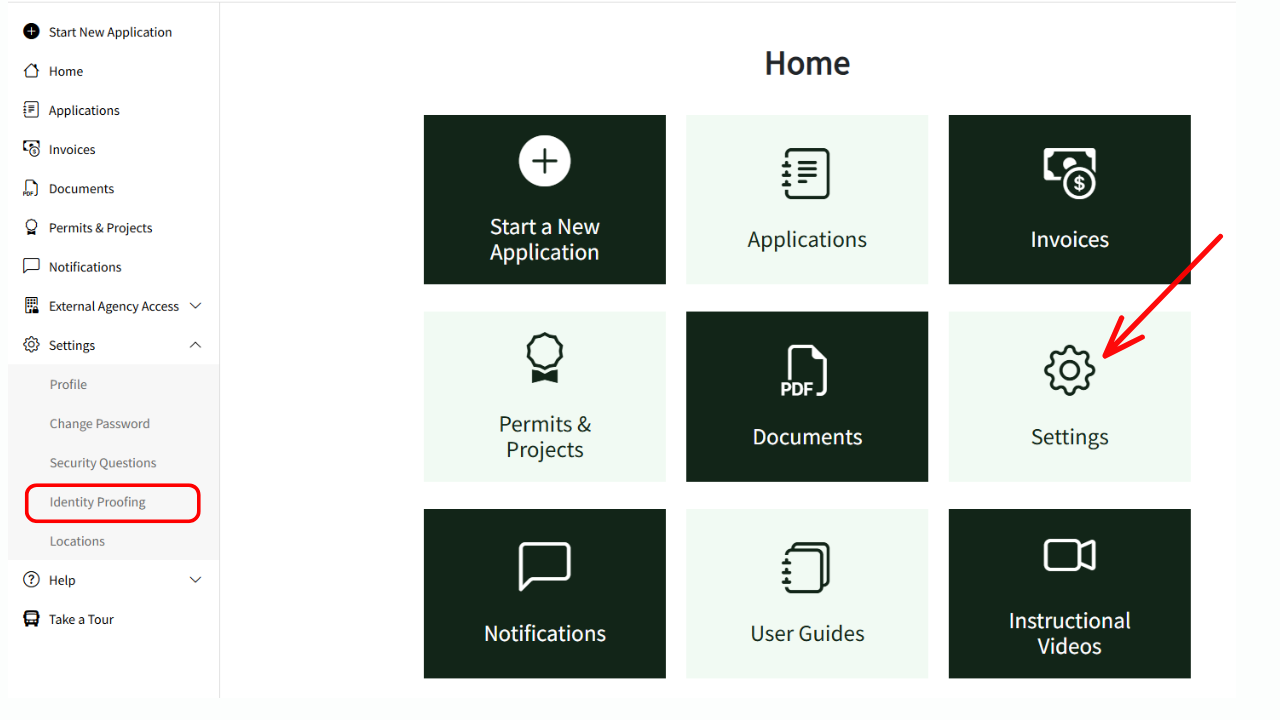
    A screenshot showing how to get to the identity proofing section of the AccessDEQ portal.
  • 2

    Start the Identity Proofing process

     Click on the green “Get ID Proofed” button.
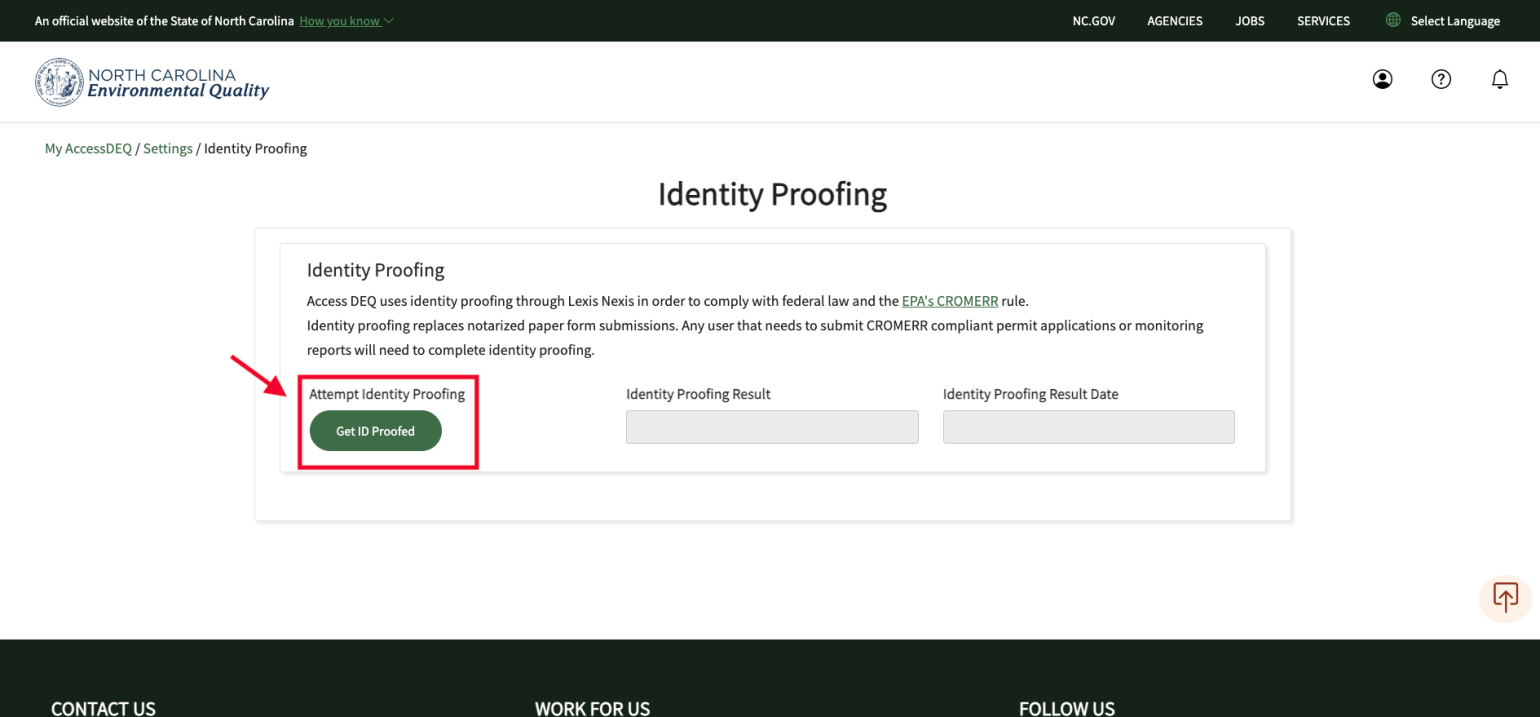
    A screenshot of the green identity proof button.
  • 3

    Complete Identity Verification Form

    Enter the requested information:

    • Middle initial
    • Phone number (home # recommended, or registered cell phone #)
    • Address (home address is recommended)
    • Last 4 digits of your SSN
    • Date of Birth

    Once you hit the “Submit” button, the screen will refresh, and after a short time, it will display whether the info you entered “exceeded” (passed) or "did not exceed" (failed).  
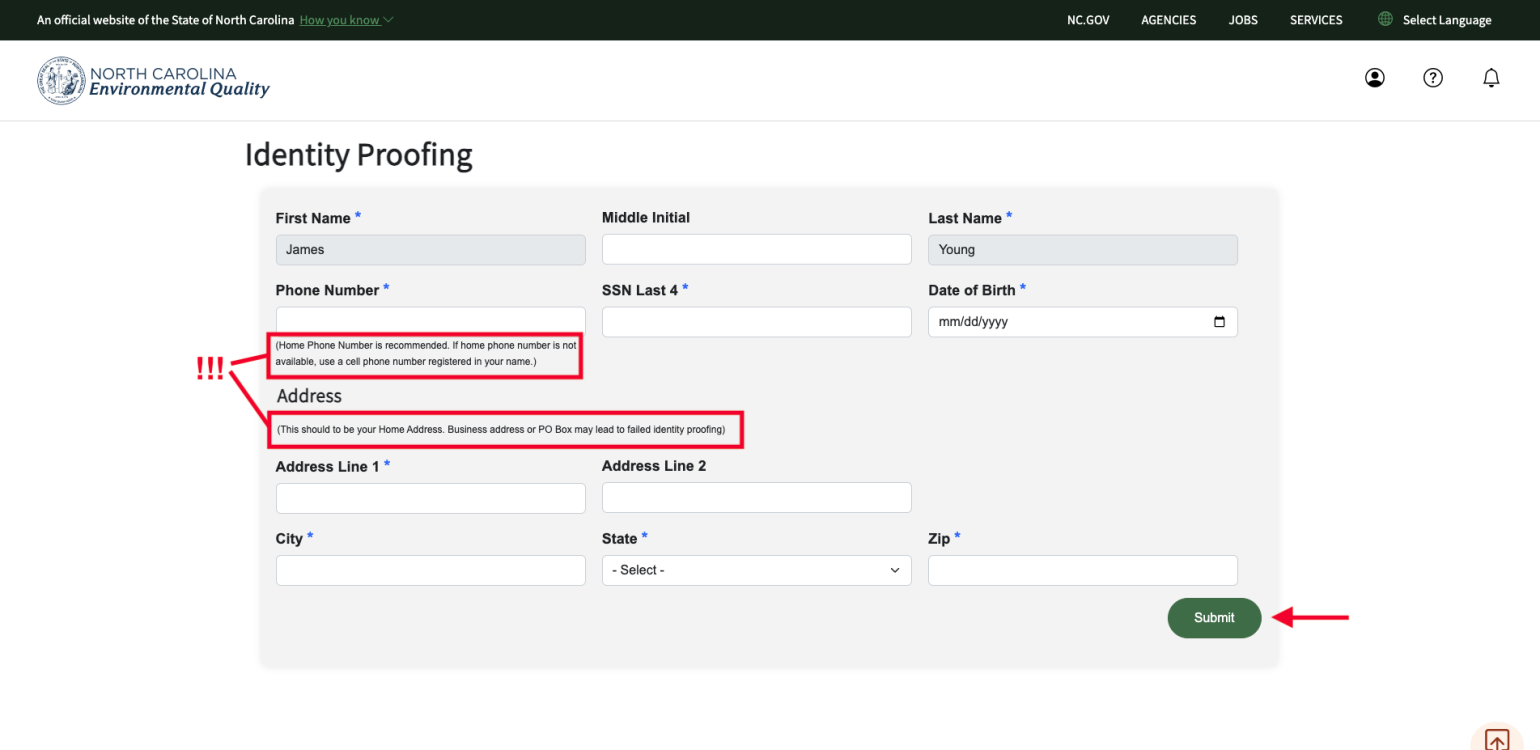
    A screenshot of the verification form needed to fill out to complete the identity proofing process.


Troubleshooting Tips

  • Identity proofing will use the first and last name you entered when creating your portal account. If, for some reason, the info you provided did not pass identity-proofing, it's probably related to a nickname, maiden name, or phone number entered. You can enter different info and try again. For instance, add/remove the middle initial, try a different phone number you are associated with.  
  • If the fields are locked/not editable, please contact us with your info and details so that we can unlock your info and assist with this process.  
  • Sometimes publicly-available information is erroneous.  In those rare cases, you may have to submit data to NCDEQ manually.  Please contact us for details on how to submit your data manually 

Please contact us for assistance, or if you have other issues this troubleshooting does not address.