
How to register an account with the AccessDEQ portal
-
1
Navigate to the AccessDEQ Portal
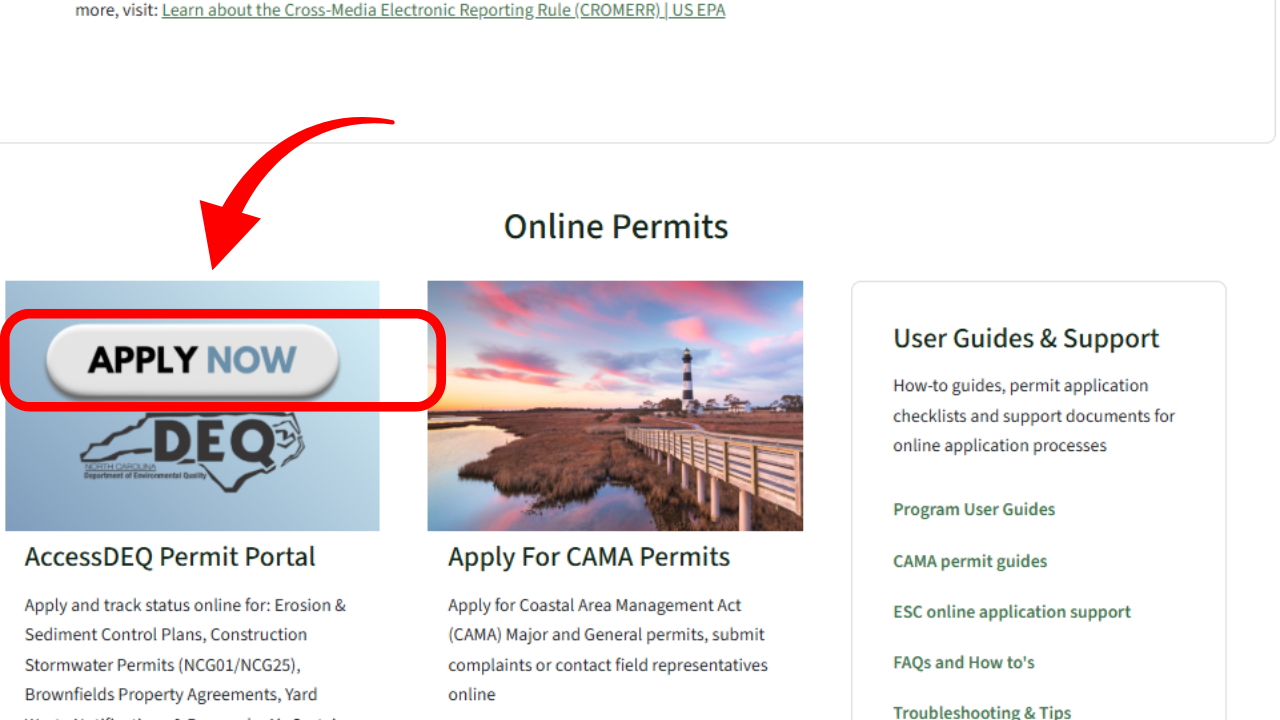
Go to the AccessDEQ tab on the NCDEQ website, scroll down, and click on the AccessDEQ Permit Portal block.
-
2
Register with the portal
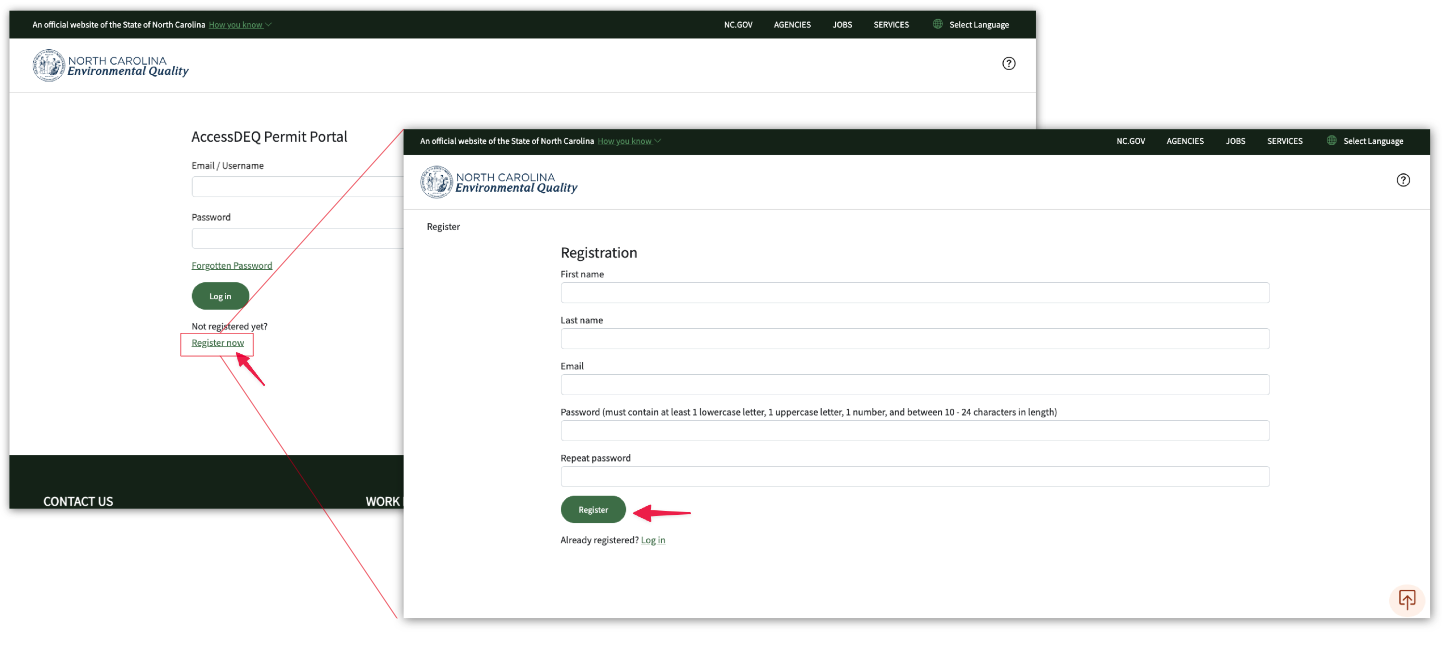
Next, click on the register link, and fill out your name, email, and password. You will need to enter your password twice. After entering your information, click on the register button.
-
3
Look for the Registration Email
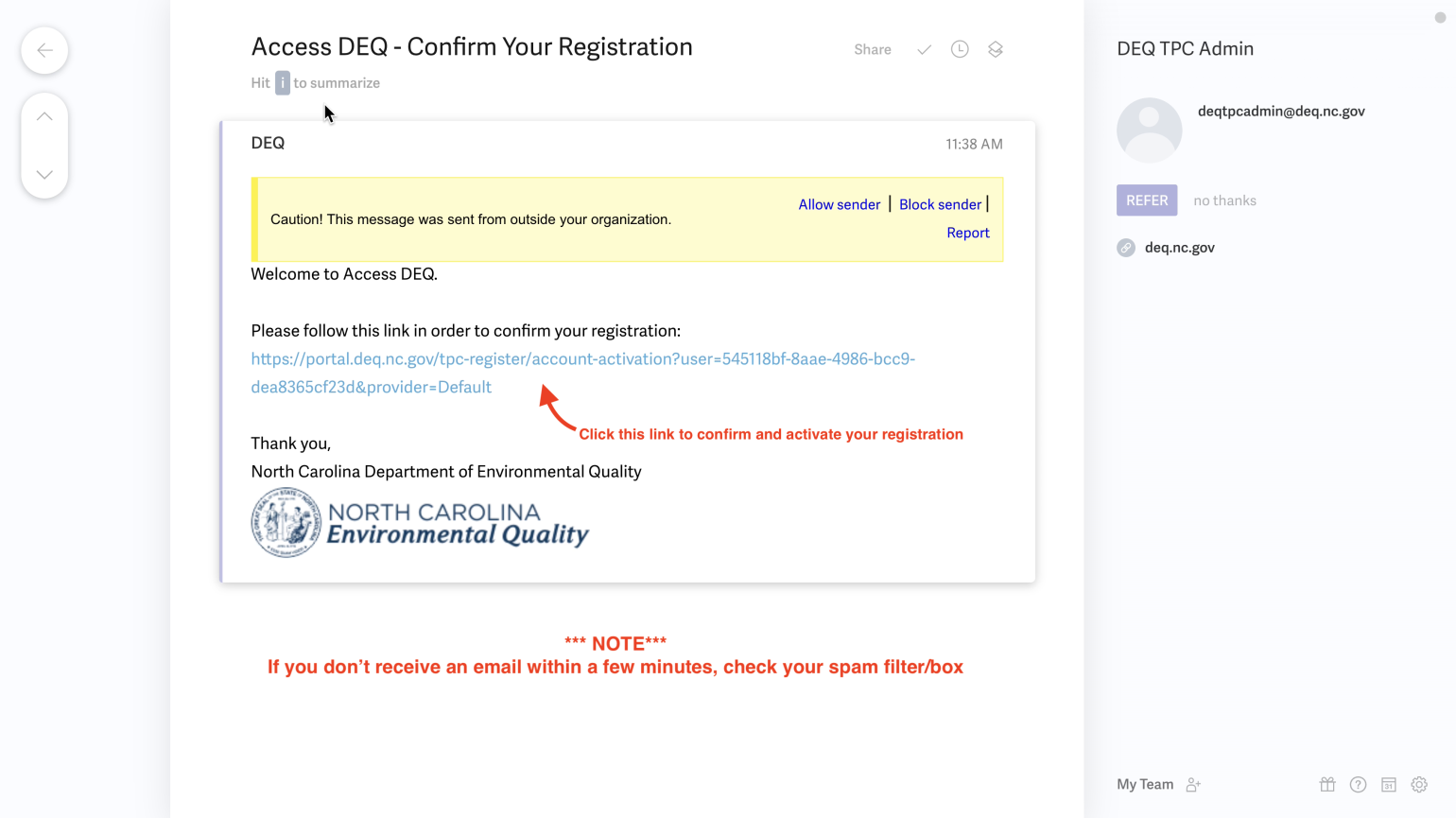
Now, navigate to the email you registered with and check your inbox for a link from your AccessDEQ registration. Click on the link in the body of the email to confirm your registration with the portal. You can now log in to the system using your newly created AccessDEQ portal account.
Check out this YouTube video for more!