
How to find Your Application
-
1
Navigate to the AccessDEQ portal home page
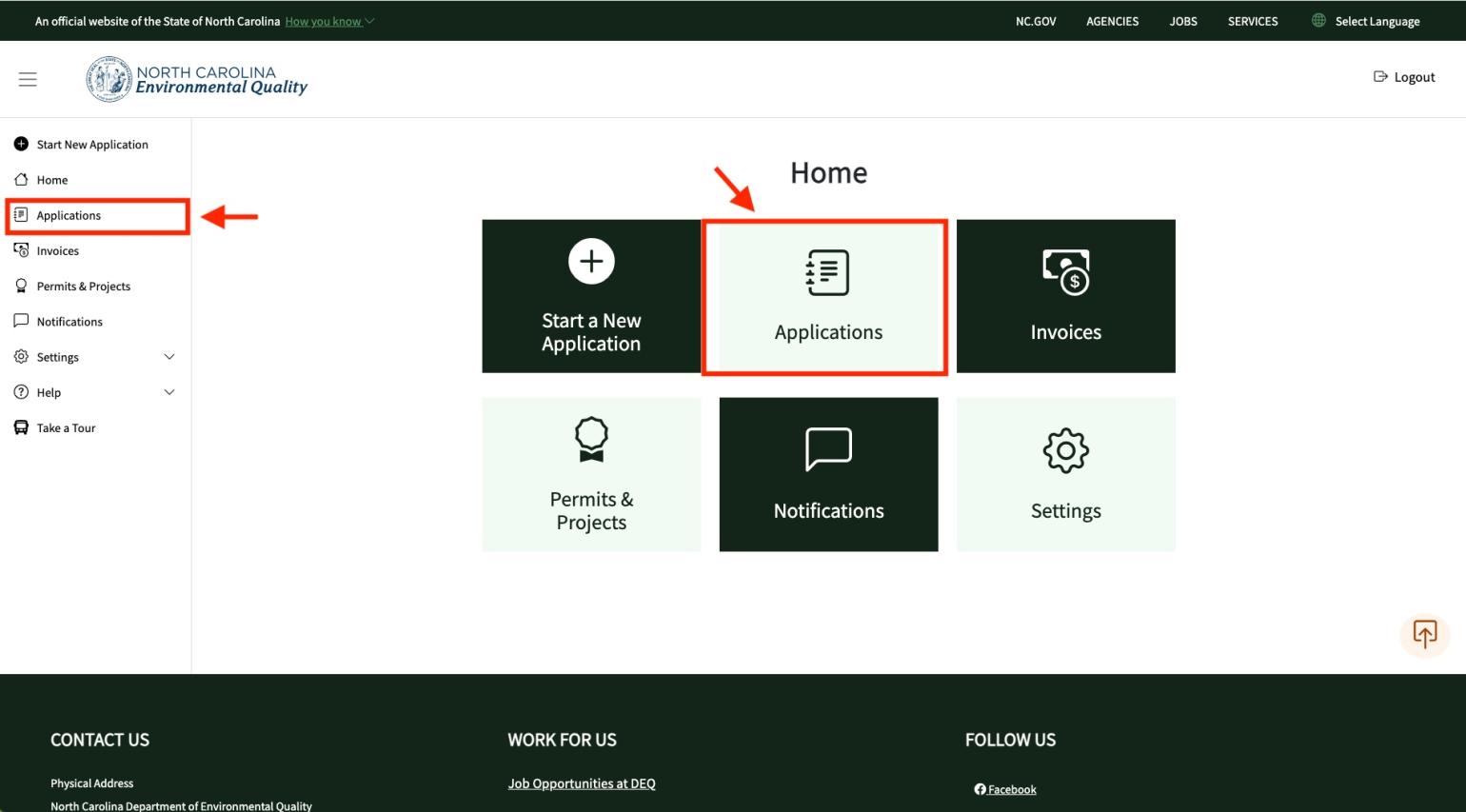
From the Home screen, click on the "Applications" tile or menu item on the menu navigation on the left side of the screen.
-
2
Access detailed view via actions menu
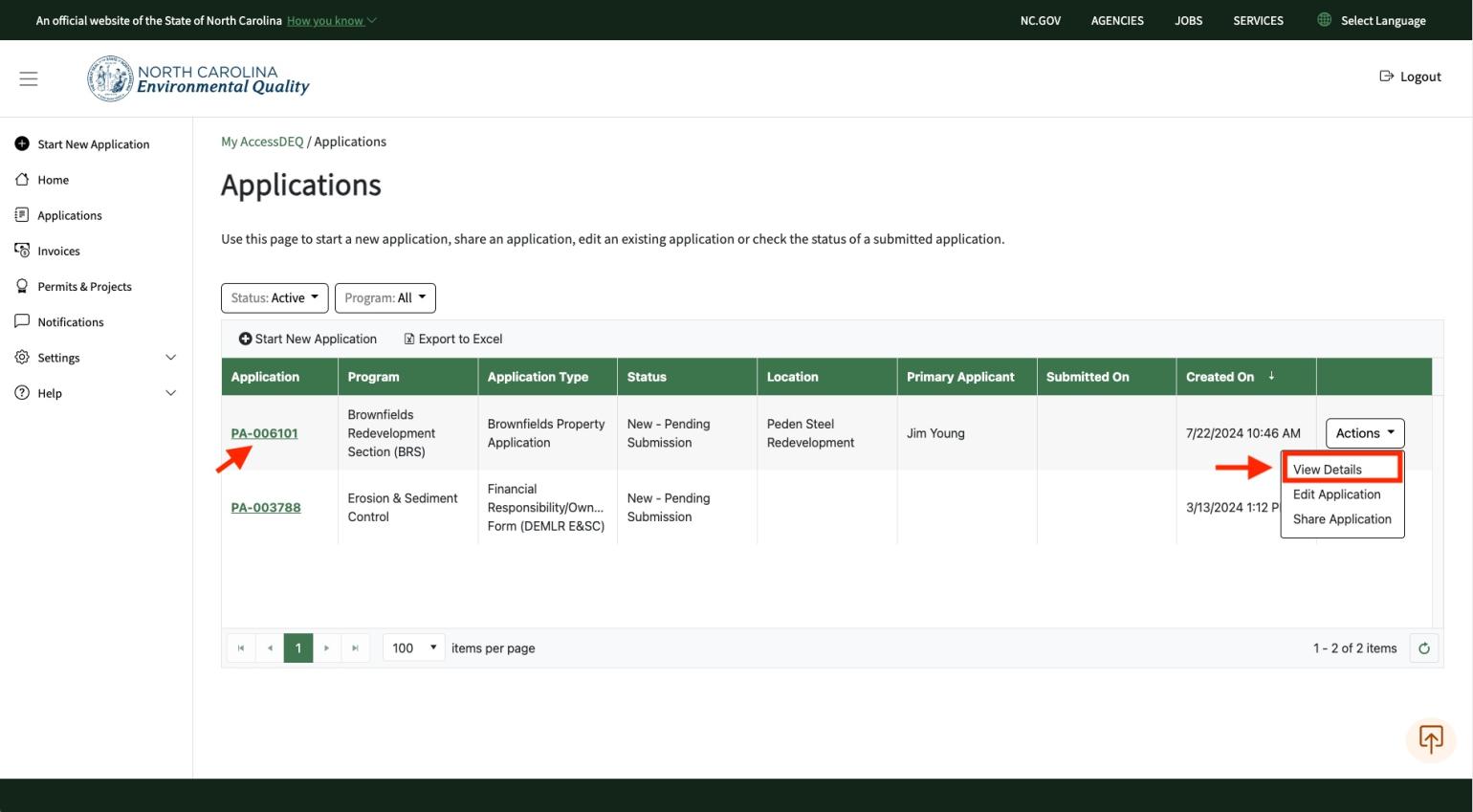
On the far right of the table grid, you will see an "Actions" button. Click on this button and select "View Details". Click on the "View Details" menu item from the "Actions" button. You can also click on the application number hyperlink.
Check out this YouTube video for more!